| Replacement Laptop Batteries › Replacement ASUS Laptop Batteries › Replacement ROG GFX71J Battery | ||||||||||||||||||||||
|
||||||||||||||||||||||
|
||||||||||||||||||||||
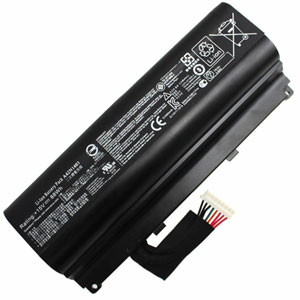
This product can replace the following part numbers: ASUS 4ICR19/66-2, A42N1403, This product is also compatible with the following models: ASUS G751JY, GFX71J, ROG GFX71JY, G751J, ROG G751JT, ROG GFX71J, ROG G751J, GFX71JT, G751JT, GFX71, ROG GFX71JT, G751, ROG G751JM, ROG GFX71, ROG G751, GFX71JM, G751JM, ROG G751JY, ROG GFX71JM, ROG G751JL, GFX71JY, |
||||||||||||||||||||||
Choosing the right Charger / AC adapter:Before you buy any AC laptop adapter, please make sure the AC laptop adapter will give you the correct voltage and suitable current output.
|
||||||||||||||||||||||
How to Maximize Battery Performance?To maximize battery performance, follow these tips:
Is There Any Danger in Leaving a Laptop on 24 Hours a Day?Yes, as long as it is placed in a well-ventilated area. The main risk for laptops is overheating due to their compact design. To prevent overheating:
Disclaimer |
||||||||||||||||||||||